[Newsletter] Qualtrics LTI Product Updates - August 2026
Last updated: August 14, 2026
In this edition of the Qualtrics LTI newsletter, we’ll be sharing some big updates that are now available for all customers!
New Survey Configuration Interface
As you may have noticed last week, Qualtrics LTI has a new look! We have added Survey configurations to our workflow.
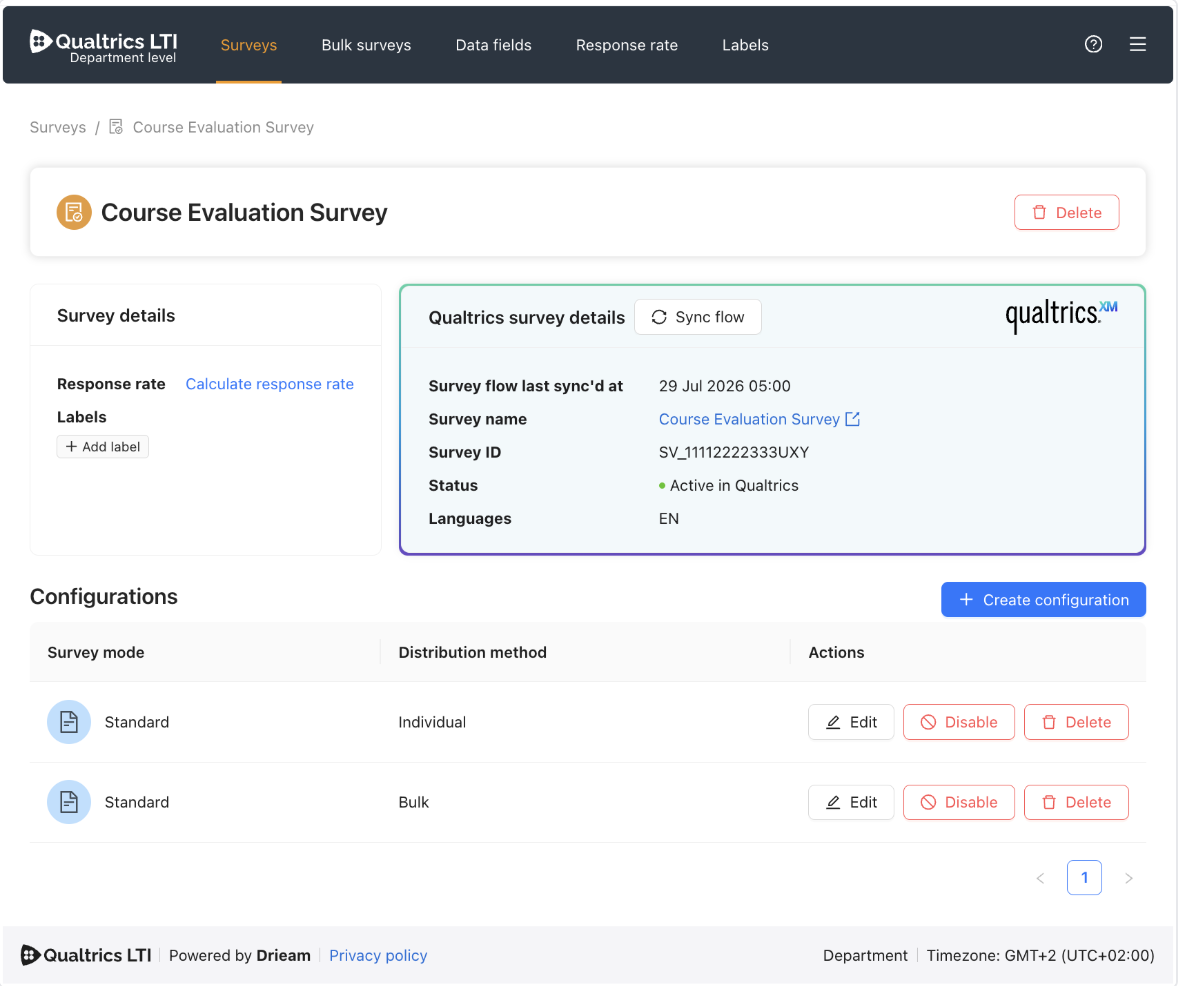
Now, configuring settings and embedded data fields happens when you click in to ‘Edit’ each Survey configuration. This allows you to have different sets of settings and embedded data fields for the same survey, depending on whether you will distribute it Individually or in Bulk.
For more information on what this change entails, including a full walkthrough of the new system, check out the [Update] New Surveys & Configurations Interface article and our complete Surveys Guide.
Response Rate Feature
Our new Response rate feature is officially out of beta and available for all customers to use. To enable this feature, have your root account admin go to <Institute level> → Settings. They can separately allow sub-account admins to access the response rate page on Department levels. Note that, after changing the setting, users need to refresh the page for it to take effect.

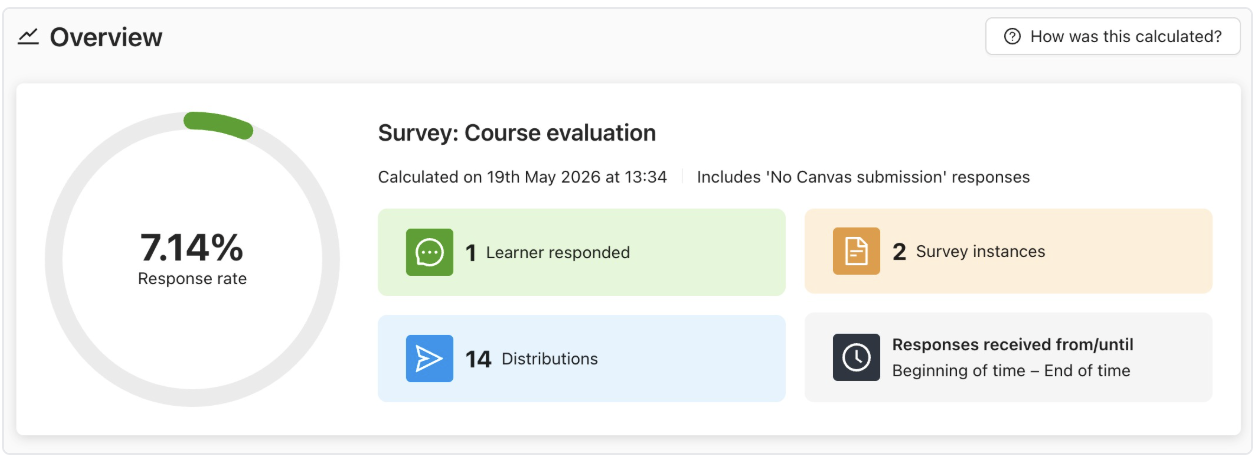
For more information on the Response rate feature, including a technical breakdown of how we make these calculations, please reference the Response Rate Guide.
New Help Center and Support System
Last week we also migrated to a new support system. This includes both our portal for submitting tickets and where to access our knowledge base for help documentation.
We have a new, revamped Knowledge Base that has tons of great help articles. You can also submit and keep track of support tickets by logging into the portal there.
While you can still reach us at support@drieam.com, we also introduced product-specific email addresses. Using these will help route your tickets directly to the Qualtrics LTI support team faster.
Qualtrics LTI Knowledge Base: help.qualtricslti.drieam.com
Qualtrics LTI Support Team Contact Info: support.qualtricslti@drieam.com or support@drieam.com
We hope you enjoy these product updates, and wishing you all a great start to the new school year!
Would you like to receive these product updates directly to your inbox? Reach out to support@drieam.com to sign up for our product update newsletter list!